In that invoice list I ran into the same pattern: instead of one list component there were eight, each made for one situation. So I pushed for a restructure of the app and a multi-brand design system for mobile. Both had to be modular enough to absorb new products, brands and situations.
An app for one kind of customer
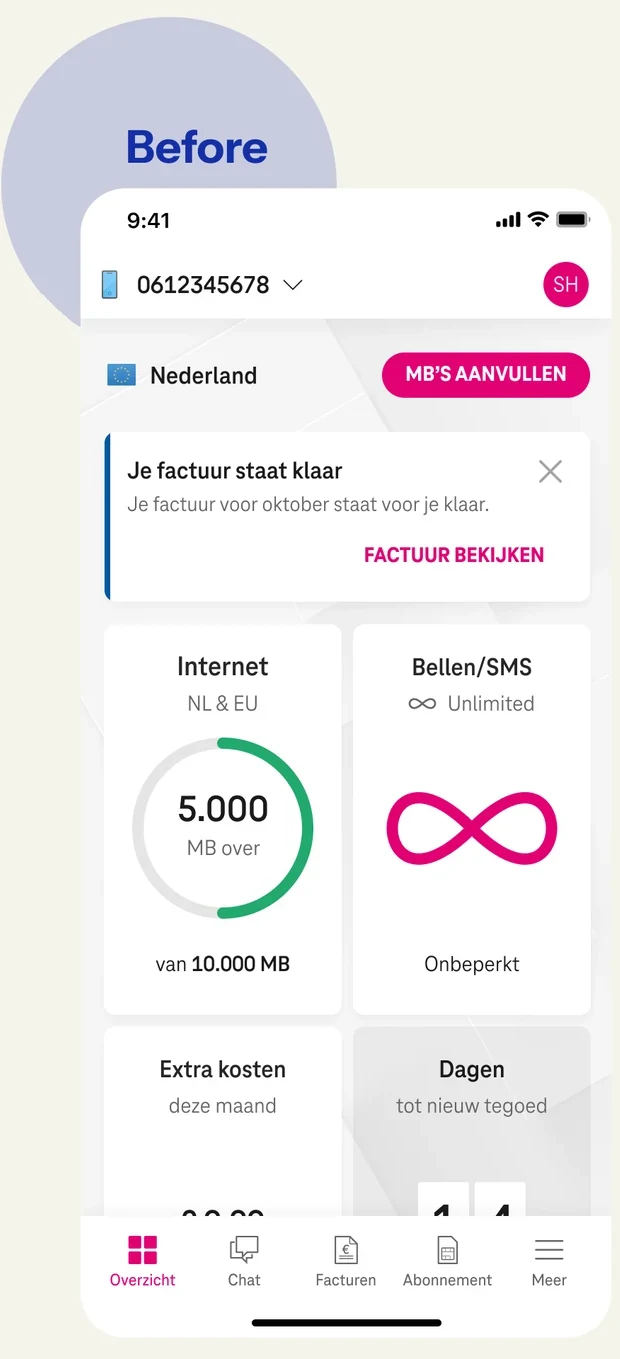
Anyone who opened the app landed on the dashboard of their mobile plan. TV and internet sat behind a separate button, and even messages were split by domain: an internet outage showed up on the internet dashboard. That made it hard to bring propositions together and to get new initiatives from the business into the app. It was time for a restructure.
A place for every product
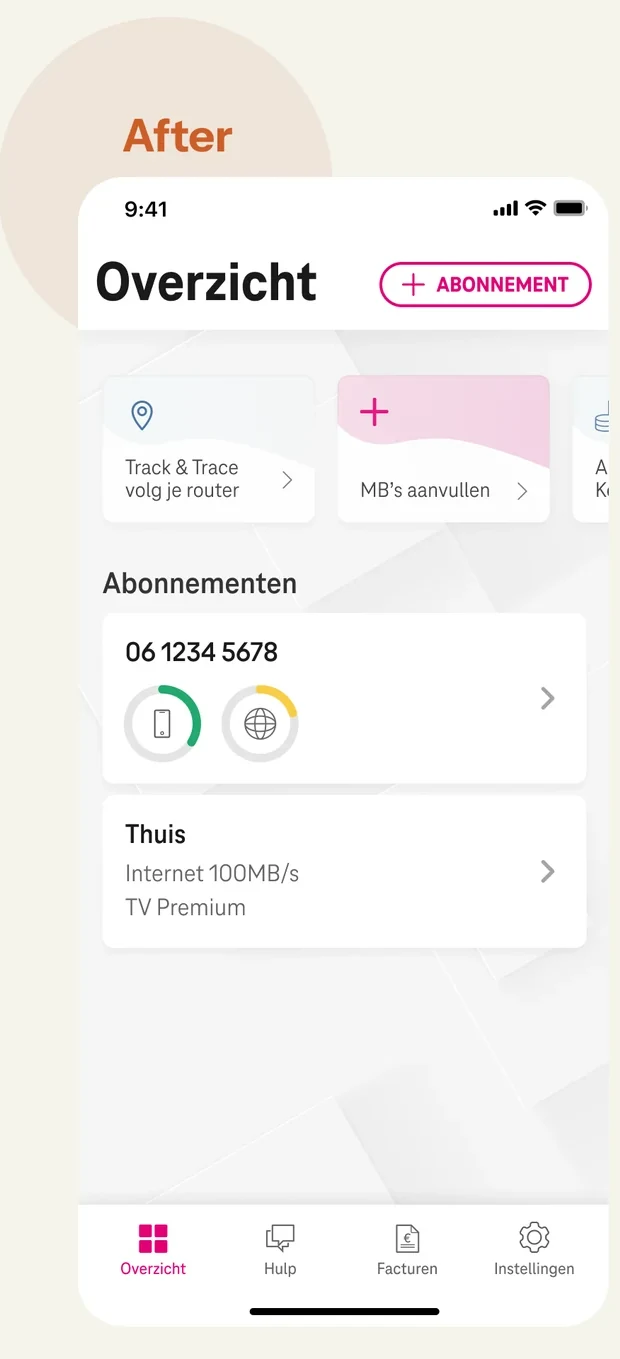
I proposed a structure built around the customer’s products, with room for new initiatives from any department, without one product coming at the expense of another. New ideas from the business would be welcome, instead of running into “that doesn’t fit the design”. That way users get an overview of all their products, T-Mobile speaks through one channel, and the app also becomes a stronger channel for communication and marketing.
I wanted to reach that structure in small steps: all services in one overview, all communication in one place, and finally no longer mirroring T-Mobile’s internal organisation (Mobile and Home) in the app, but matching how customers experience it: as products.
For product teams, taking small steps is less risky than one big change that takes months. And users grow along with it gradually, instead of having a whole new design dropped on them overnight.
To test whether the steps were manageable, I set up a usability study and built the prototype for it. Six customers worked through four flows. Several of them hardly noticed what had changed. Exactly what small steps are for. At the same time, they found the new parts effortlessly: five out of six spotted the new renewal offer straight away, and most of them now found their subscription details without searching.
To tap someone on the shoulder or not?
With one central place for messages came the question of who gets to send what to customers. Push notifications were a hot topic; everyone saw opportunities in them. But overload customers with notifications and they’ll switch them off.
So I ran a workshop with three POs from different brands and teams and two people from customer service. First, everyone wrote down every message they wanted to send to customers. Then I asked them to picture a customer sitting quietly in a coffee shop. Which messages are important enough to walk over to that person and tap them on the shoulder? It made tangible that a notification interrupts someone, and is only justified if you’re really helping. We ended with a strategy and a prioritised list for the months ahead.
The same pattern in the components
When I had to design the invoice list, I didn’t have any components for the app yet. I was pointed to the web components in Figma. Instead of one ListItem, I found eight separate list components: one for a price list, one for a link list, one for a product list, and so on. Eight versions of the same thing, each with its own set of variants: a variant explosion. Like the app, they were built for one situation.

What does a component want to be?
I shared my findings with the design lead and proposed a different approach for mobile. I brought in two other designers, and in weekly sessions we laid the foundation for a mobile design system together. We stripped every component down to its core. What does this component essentially want to be? What does someone expect when they see it and work with it? How do we build it independent of context, so we can use it anywhere? Those questions led to our best discussions. And over the course of the project, we built up not just components but also shared principles and language.
Because the app also had to work for Ben and Tele2, we built in layers: multi-brand foundations, a theme per brand, and components that take on that brand’s colours, type and shapes when you switch brands.
Bringing developers along
I involved the PO and the tech lead of the mobile team early on. At a kickoff for the iOS and Android teams I explained what we were going to do and why: not a redesign, but a shared way of working. Every time we touched a screen, we turned its reusable elements into components, so that the gains would compound and we’d pick up speed bit by bit. Every month I got the developers and the PO together to show what we’d made and why it would help them, so nobody was caught by surprise.
What remained after Odido
In May 2023 all ongoing design work was put on hold because of the rebrand to Odido, which at the time was still a secret to me. That included the restructure. I left in June.
The design system itself didn’t come through that transition intact. The foundations and the principles did: the two designers I had worked with later built the Odido design system on them, together with a third designer.
Digging deeper
Designing an invoice overview seems like a simple job. But if you dig a little deeper, you sometimes hit underlying problems that are worth solving. That’s why, with every story, I dig a little to see whether there’s something interesting underneath, however small it seems.